To ensure a smoother and more straightforward process, follow these enhanced instructions:
Access your Wizard Legal Account: Start by logging into your Wizard Legal Account using your credentials.
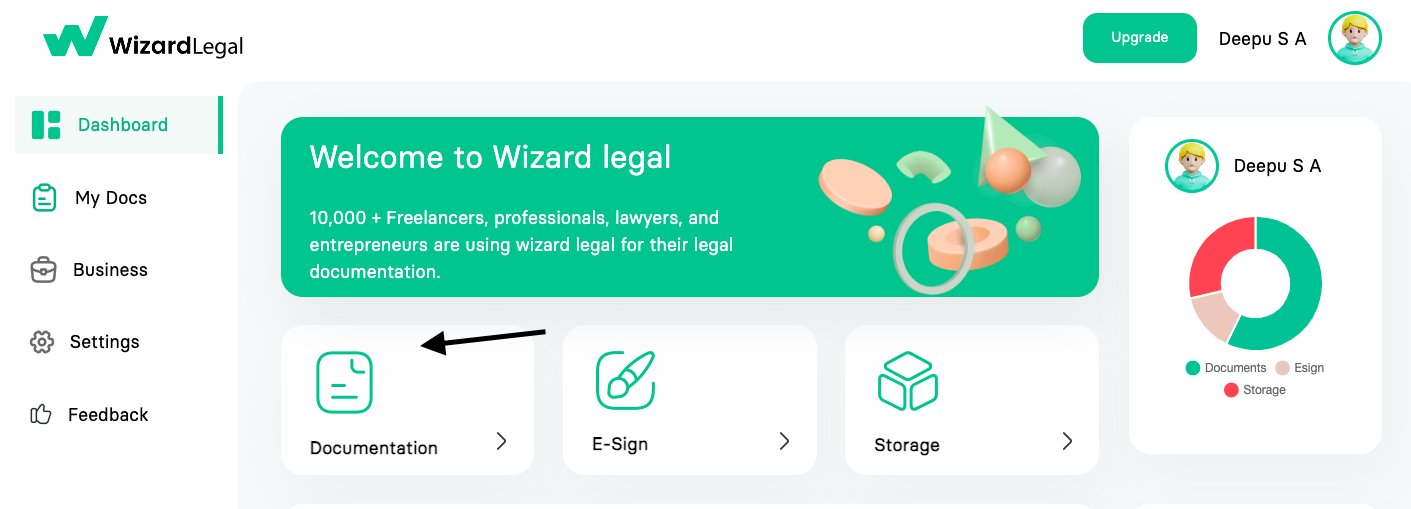
Navigate to Documentation: Once logged in, you will be directed to your dashboard. Look for and click on the "Documentation" tab.
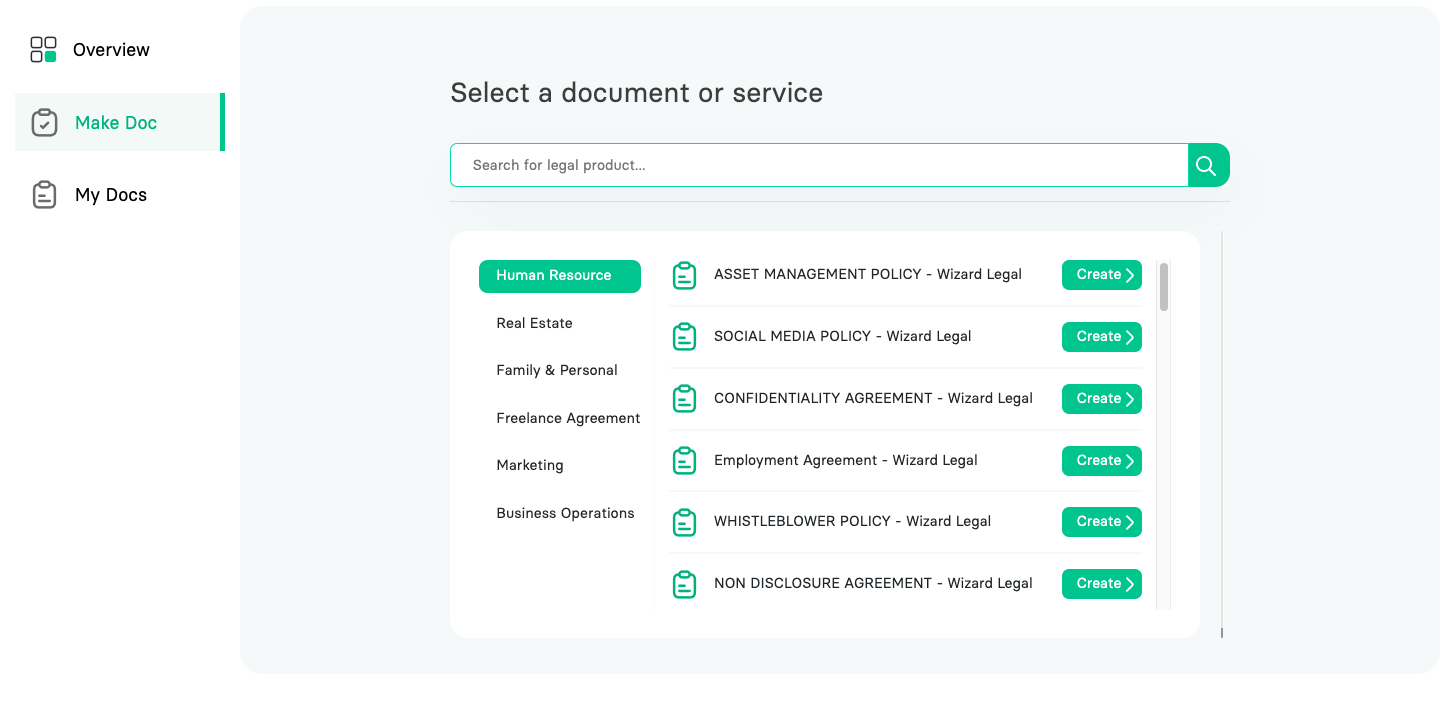
Create a New Document: Within the documentation section, locate and click on the option labeled "Make Document."
Select the appropriate document template that suits your specific needs from the available options.
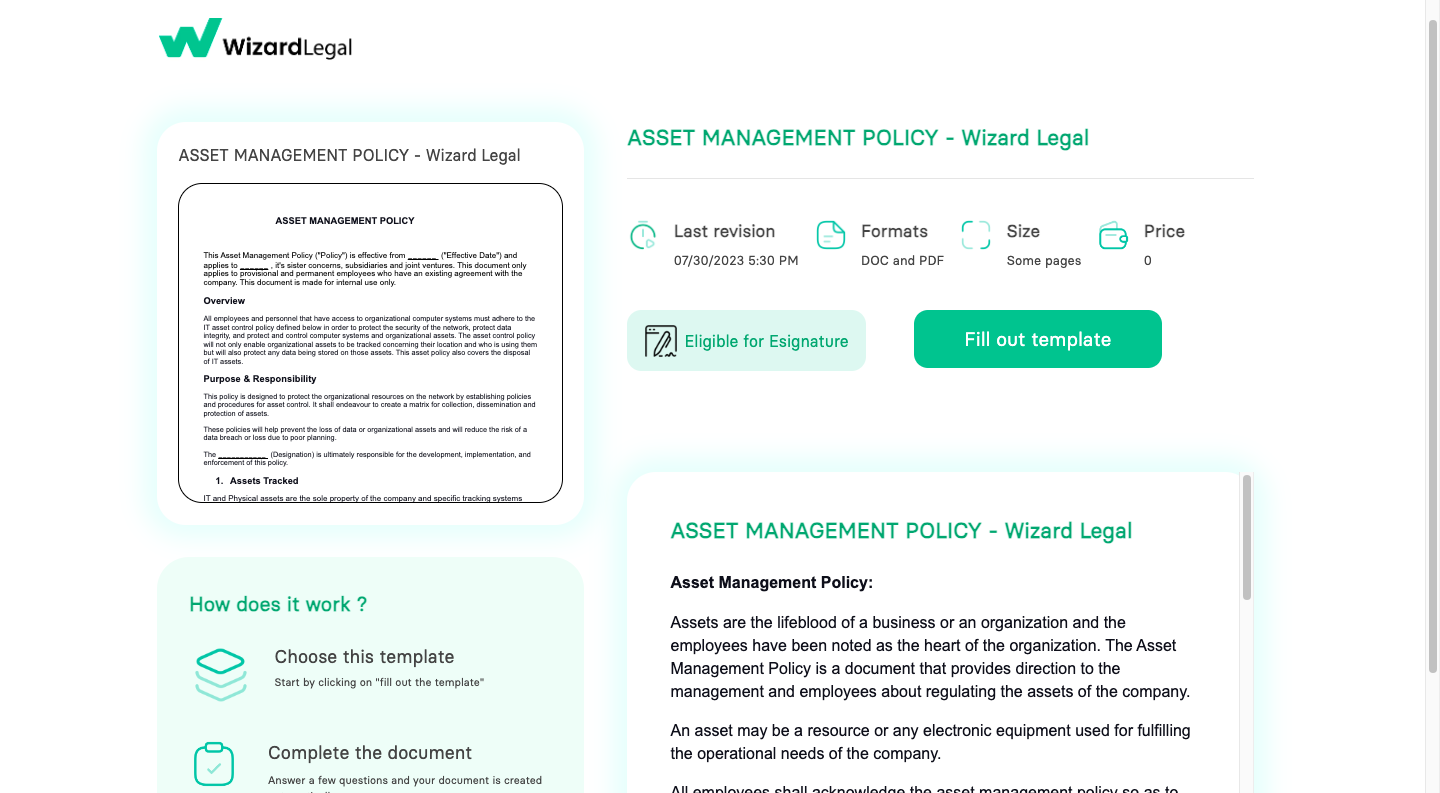
You will find all the details of the agreement in the summary page.
Check Eligibility for Aadhaar eSign: Determine whether the document is eligible for Aadhaar eSign. If it is, you can conveniently make it legally binding through Wizard Legal within minutes.
Instant Aadhaar eSign: If the document is eligible, you can proceed to eSign it with Aadhaar authentication, making the process quick and hassle-free.
Non-Eligibility for Aadhaar eSign: If the document is not eligible for Aadhaar eSign, you must follow an alternate approach. You need to print the document on stamp paper and sign it manually.
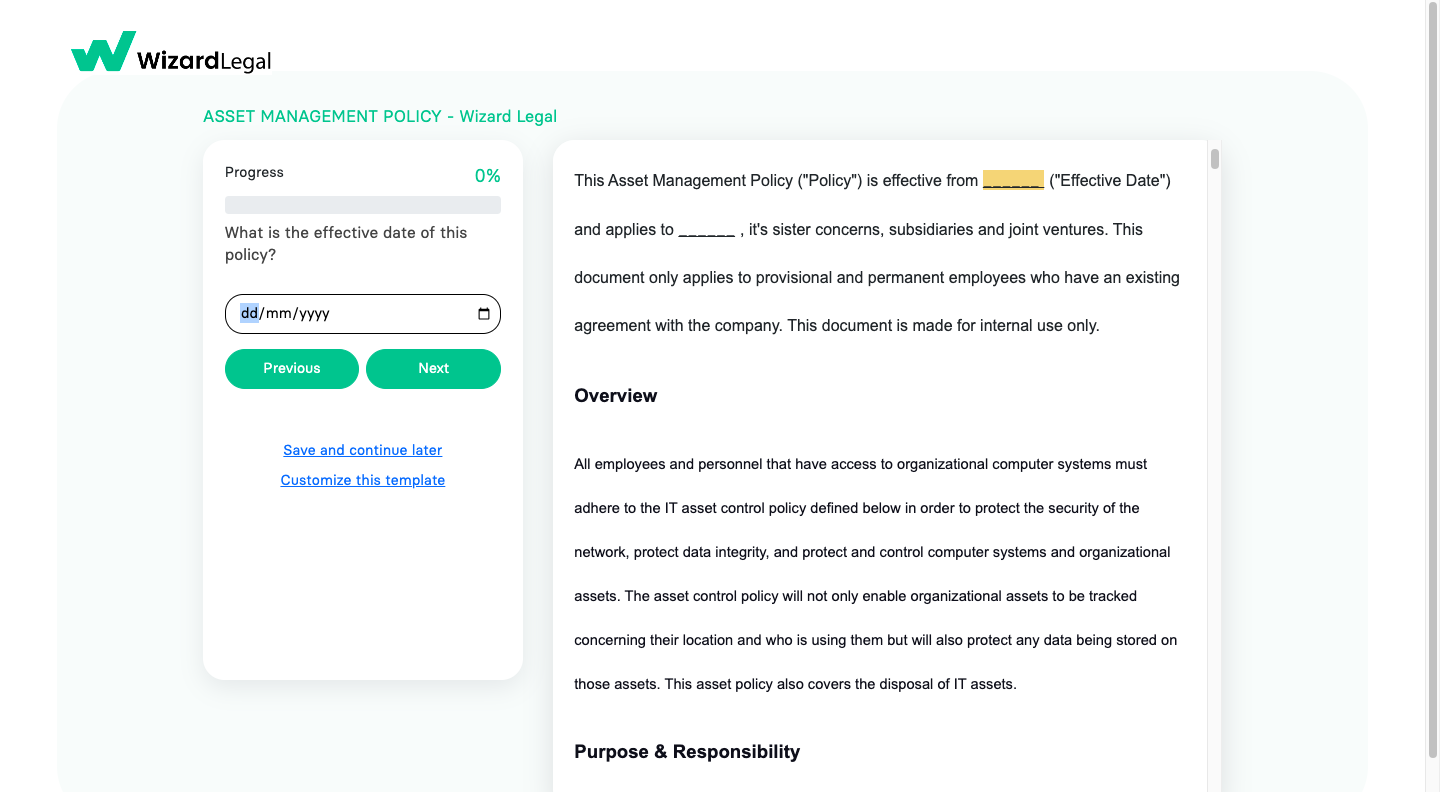
Carefully review all the required details provided in the document template. Ensure that all necessary information is accurately filled in.
By following these improved instructions, you can efficiently handle your documentation needs using the Wizard Legal platform. If you encounter any difficulties or have further questions, don't hesitate to seek assistance from our customer support team. They are ready to help you make the most of our services.
Happy document creation!
